
Background Remover
In the rapidly evolving world of image editing, tools like BG Remove have made a significant impact by simplifying the process of background removal. This review delves into the functionalities, advantages, and limitations of BG Remove, a free AI image background remover designed to streamline the task of separating subjects from their backgrounds.
Features of BG Remove
AI-Powered Precision
BG Remove leverages advanced artificial intelligence to deliver precise background removal. The AI algorithms employed by BG Remove are adept at distinguishing between the foreground subject and the background, even in complex images with multiple objects or intricate details. This precision ensures that the extracted subject maintains its natural contours and fine details.
Free AI Image Background Remover
One of the standout features of BG Remove is that it offers its background removal services for free. Users can upload their images and benefit from high-quality background extraction without incurring any costs. This makes it an attractive option for both professionals and hobbyists who need a reliable tool without a financial commitment.
Transparent Background by Default
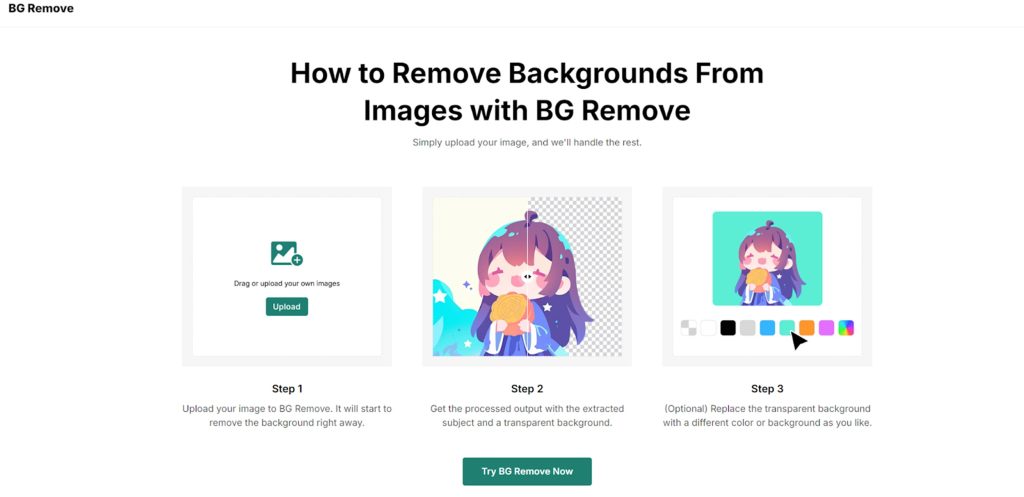
Upon processing an image, BG Remove provides a transparent background as the default output. This feature is particularly useful for users who wish to replace the background with something else or integrate the subject into new environments seamlessly. The option to add a new background or adjust the transparency level enhances the tool’s versatility.
Batch Background Removal
For those managing large volumes of images, BG Remove offers batch background removal capabilities. This feature allows users to upload multiple images simultaneously, significantly reducing the time and effort required to process each image individually. This capability is especially beneficial for e-commerce platforms and marketing professionals who need to prepare numerous product photos efficiently.
Performance and Usability
Processing Speed
BG Remove is designed to deliver results quickly. The AI algorithms work efficiently to process images, typically within seconds. This rapid processing time ensures that users do not experience long delays, making it a practical tool for time-sensitive projects.
User-Friendly Interface
The interface of BG Remove is straightforward and easy to navigate. Users do not need advanced technical skills or graphic design knowledge to operate the tool effectively. The process involves simple steps: uploading the image, allowing the AI to process it, and optionally replacing the background. This ease of use contributes to the tool’s accessibility for a broad audience.

Comparison with Other AI Background Removers
Accuracy and Detail
When compared to other free AI background removers, BG Remove stands out for its accuracy and attention to detail. The tool’s ability to handle fine edges and complex backgrounds sets it apart from many competitors. While other tools might offer similar functionality, BG Remove’s commitment to precision ensures a high-quality output.
Free vs. Paid Tools
Many background removal tools are available, ranging from free options to premium services. Free tools often come with limitations, such as watermarks or restricted features. BG Remove differentiates itself by providing a comprehensive set of features at no cost, making it a valuable resource for users who need effective background removal without financial investment.
Potential Limitations
Image Quality and Format Restrictions
Although BG Remove supports various image formats, such as JPG, PNG, and WebP, there might be occasional issues with very high-resolution images or less common formats. Users should ensure their images comply with the tool’s specifications to avoid potential problems during processing.
Complex Images
While BG Remove excels in handling many types of images, extremely complex backgrounds or images with very similar foreground and background colors might present challenges. In such cases, users may need to perform additional manual adjustments to achieve the desired results.
Conclusion
BG Remove offers a robust solution for anyone needing to remove backgrounds from images quickly and efficiently. Its AI-powered precision, free accessibility, and batch processing capabilities make it a valuable tool for both casual users and professionals. While there are some limitations, such as potential challenges with complex images, the tool’s overall performance and ease of use make it a noteworthy option in the landscape of background removal tools.